Tesla does not offer Apple CarPlay from the factory. This wireless CarPlay adapter for Tesla adds it: plug the small box into your Tesla's USB port, pair your iPhone once, and CarPlay opens on the center screen through the Tesla web browser, with no cable needed on later drives.
Before you buy: the CarPlay adapter displays through the Tesla browser. Check that your Tesla's browser opens and stays usable on your current software version, including while driving. If it does not, the adapter will not work in your car.
Tesla CarPlay Adapter: Key Specs
Fits
Tesla Model 3, Model Y, Model S and Model X, 2018–2025 (with browser access)
Phone
iPhone 6 or newer, iOS 10 or later (Apple CarPlay only)
Connection
Bluetooth pairing, then 2.4 GHz / 5 GHz Wi-Fi
Chip
Quad-core low-power processor
Install
Plug and play into a Tesla USB port
Material
ABS + PC
What You Can Do with CarPlay in a Tesla
Use Apple Maps, Google Maps or Waze from your iPhone on the big screen
Play Apple Music, Spotify, podcasts and audiobooks
Read and reply to messages with Siri
Reconnect automatically when you get in, with the phone still in your pocket
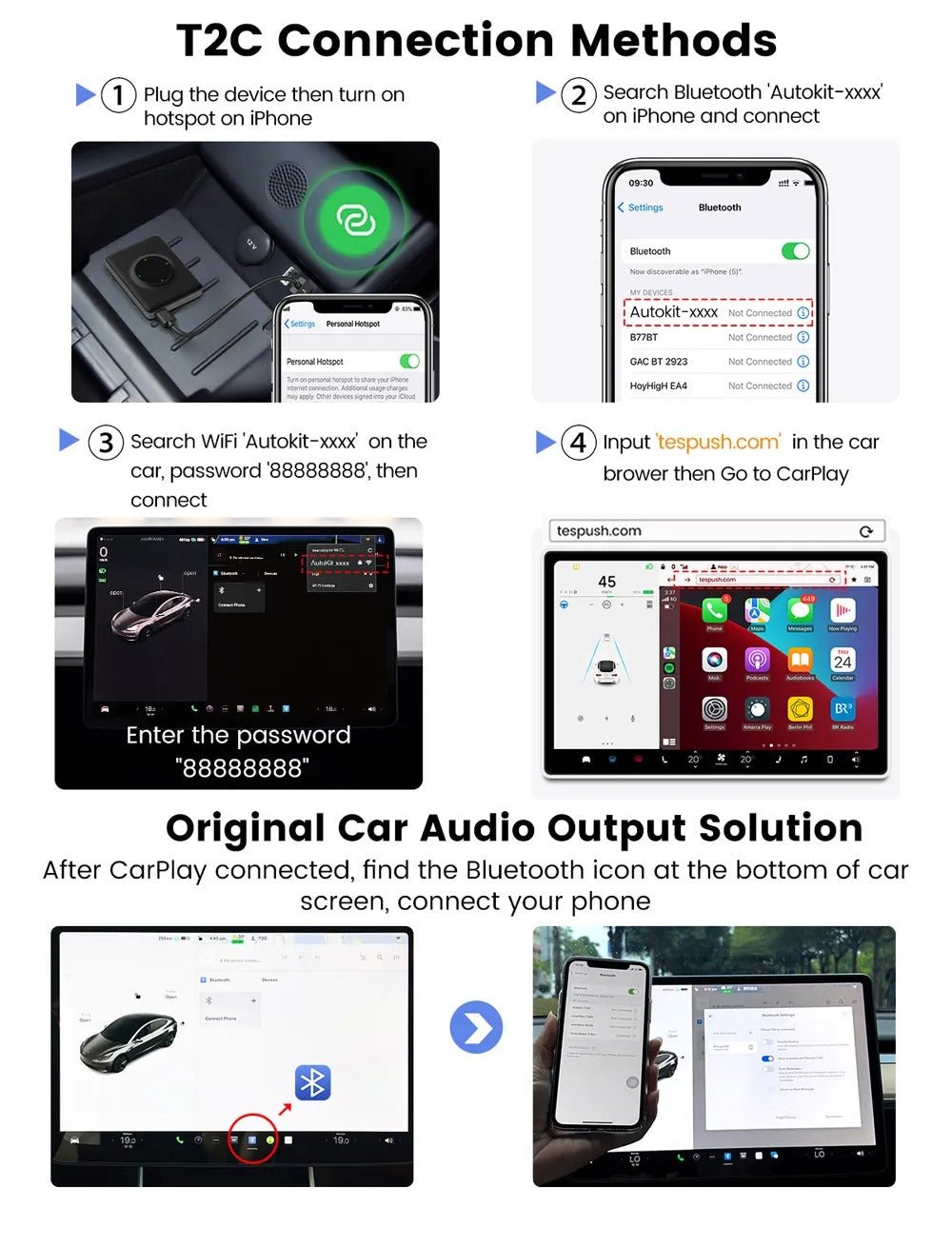
How to Set Up the Adapter
Plug the adapter into a USB port in your Tesla.
Open the Tesla web browser and go to the address shown in the included instructions.
Pair your iPhone over Bluetooth, then accept the CarPlay prompt on the phone.
After the first setup, the iPhone connects over Wi-Fi each time you drive.